Trash Day Wagon Guide: Hauling and Recovery
Diagnose a stuck Trash Day wagon, reattach wheels, use flip prompts, plan tool-assisted crossings and separate terrain trouble from network desync.
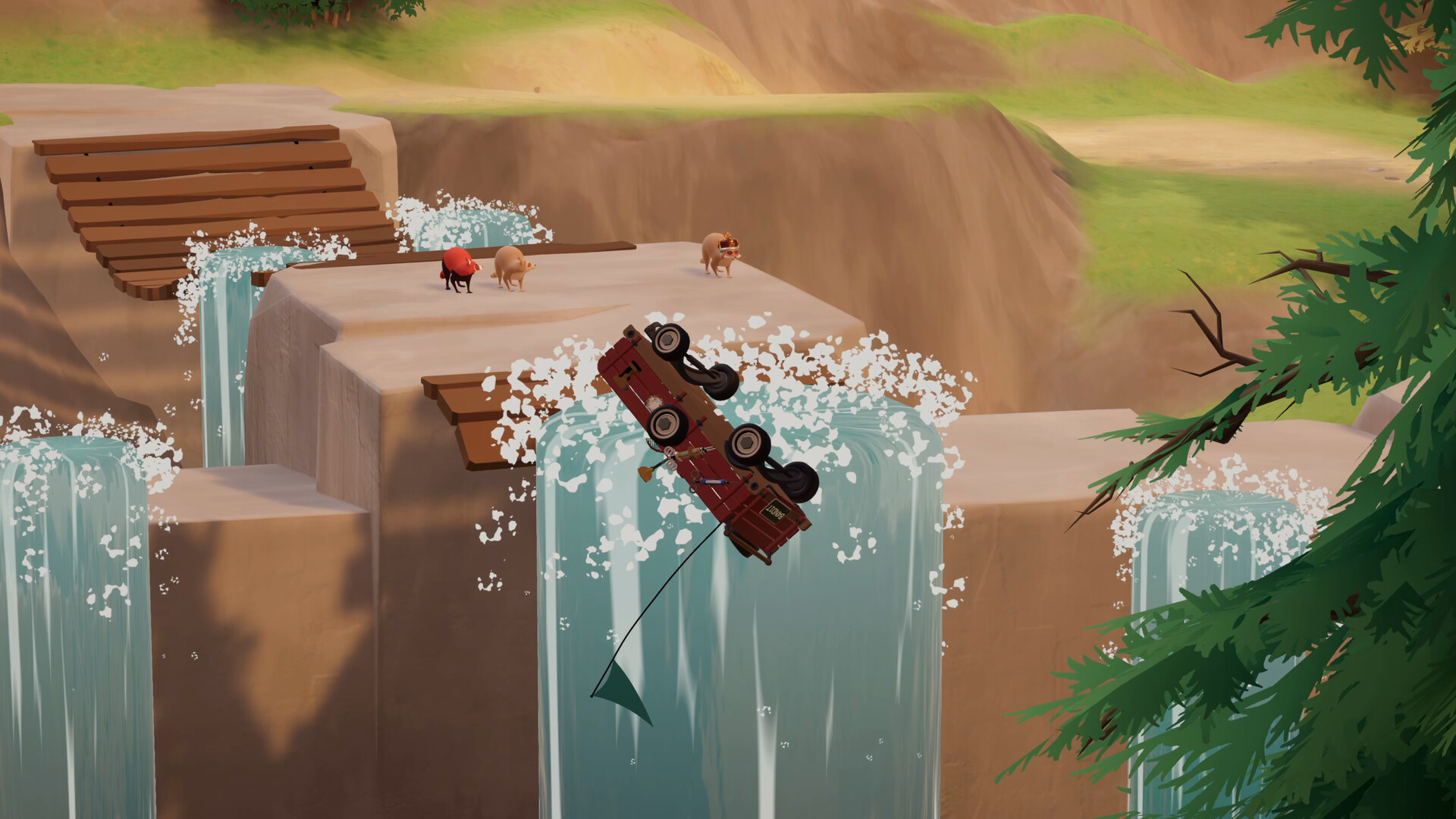
Stop the wagon and identify a missing wheel, tip-over, blocked terrain or stalled connection before adding force. Reattach lost wheels and follow the live tighten or flip prompt, then test movement briefly before returning to a difficult crossing.
View reference image
On this page
Diagnose before adding more force
A wagon that will not move can have several different problems. It may be missing a wheel, lying on its side, pressed into terrain, held at an unhelpful angle, or appearing frozen because a connection has stalled. Those situations need different responses. Start by asking everyone to release movement and give one player room to inspect the vehicle.
This guide combines official release information with clearly dated demo notes. The release confirms that wheels can be reattached and a wagon can be flipped back. Demo patches explain some prompts in more detail, but the visible prompt in your current build takes priority. The steps below are an editorial troubleshooting order; they are not a claim that we personally tested every terrain interaction.
First check the whole vehicle
Look at orientation, wheels, nearby objects and the intended direction of travel. Do not focus only on the front handle. A rear wheel can be caught against a corner while the front appears clear. A vehicle may also need room to turn before it can advance. Ask a teammate with a different view to report what is touching the wagon rather than simply joining the pull.
Use a short diagnostic movement on safe ground if the vehicle appears upright and complete. If it rotates but does not advance, inspect the side that stays fixed. If the wagon moves but a wheel immediately separates, return to the attachment and tightening prompts. If every nearby object also stops responding, skip to the connection section rather than treating the wagon as the only problem.
Recover a detached wheel
The official store explicitly says a lost wheel can be put back on. Bring the wheel to the vehicle and use the live attachment interaction. Clear other objects and players away from the target so the prompt is easier to read. Do not assume that holding the wheel beside the wagon completes the repair.
Historical demo patch 2026.0.1.12712 describes wheel-damage warnings, a tightening reminder and an impact-wrench highlight. Another official demo patch identifies a tighten-with-impact-wrench descriptor after attachment. Treat those as explanations of what a repair prompt may ask you to do. We do not publish a current universal key binding, wrench location or required tightening percentage here because those details need confirmation in the release build.
Once the prompt indicates the interaction is complete, move only a small distance and inspect again. That short test costs less attention than discovering the same problem in a road crossing. If the wheel still behaves incorrectly, note whether the issue is visible to both host and guest before searching for a different repair item.
Right a tipped wagon
A tipped wagon is a recognizable repair case in the official description, rather than automatic proof that the run must restart. Stop collecting around it, find the current flip interaction and let one player operate it while the rest make space. Adding cargo or conflicting movement at the same time makes it harder to understand the result.
Demo patches document improvements to flip triggers and a prompt associated with the wagon leashes. They also explain that cargo could not be deposited while fully overturned in that version. These are dated clues, not a promise that the exact release interface looks identical. Read the on-screen action, establish a stable orientation, then inspect cargo and wheels before trying to resume the route.
If the wagon tips repeatedly in the same place, repair is only half the task. Reconsider the approach angle, turning space and the way players apply movement. Return to a safer position if possible and change one factor. Repeating the same crowded pull is unlikely to tell you which factor caused the instability.
Respond to terrain jams
The October release hotfix 2026.0.1.14960 reports a recovery change for wagons jammed into rocks, walls or the ground, along with fixes for roads and parking lots. It is evidence that some apparent hauling failures were collision defects. It is not a guarantee that every wagon on every build can automatically escape every gap.
First check that you are running the intended updated version, then stop adding force long enough to observe the vehicle. Inspect whether an ordinary object, a wheel or the chassis is contacting the obstacle. Where a safe reverse or a wider turn is available, try that before pressing farther into the obstruction. Keep the team away from an edge while testing; a successful release from a jam can still send the wagon somewhere unwanted.
When the wagon remains stuck, record the location, its orientation and what happened immediately before the jam. That information is useful for the developer’s feedback channel. Do not present a random exploit from an old demo clip as the intended solution, particularly if a later patch says a shortcut or physics trick was removed.
Plan a crossing around wheels and landing space
The store lists planks and bungee cords as tools for handling obstacles. Start by deciding where the wheels need support, what the tool will connect or bridge, and where the wagon should finish. A crossing is incomplete if it gets the front over a gap but leaves no turning or stopping room for the rear.
Before committing a full load, inspect the setup from another angle. The scout should answer whether the support appears aligned with the wagon’s intended path, while the caller confirms when movement starts. If a tool shifts or the vehicle approaches off-center, stop and reset the attempt rather than compensating with several unplanned inputs.
This is a general experimentation method, not a fixed construction recipe. We have not verified a universal plank count, cord strength, attachment layout or jump timing. Use the actual objects and prompts in front of you, and compare each attempt with the previous one. That creates a repeatable solution for your local obstacle without pretending the same setup works throughout all six areas.
Treat cargo as part of handling
The developer’s inventory design post makes an important distinction: the cargo is physically placed in the wagon. Our recommendation is to inspect an unstable or obstructive load before a demanding section. Move an awkward item on safe ground and test whether the view and movement become easier to manage.
Keep enough visual access to notice wheel trouble. If everyone is chasing scattered cargo after a collision, appoint one player to watch the vehicle while others recover nearby objects. That prevents a second problem from developing while the group is focused on the first. Do not assume that the number shown for a valuable item describes its mass, safe carrying position or effect on wagon durability; those are separate facts that require evidence.
Check whether the session is still synchronized
Release hotfix 2026.0.1.14910 describes stalled host connections leaving a session with unresponsive or incorrectly appearing objects. The patch adds a connection-timeout message and says rejoining restores synchronization. A player who sees a frozen wagon while others can move it may therefore be facing a network state problem rather than an unsolved obstacle.
Compare screens verbally: can another player interact with the wagon, does the missing wheel appear in the same place, and do unrelated objects still respond? If those observations disagree, pause the physics experiment and use the current rejoin flow. Avoid changing network settings without evidence. A precise account of who was host, who timed out and which objects disagreed is more useful than another forceful pull.
Resume with a short confirmation test
After any repair, make a small move before attempting the original hazard again. Confirm that the wagon remains upright, wheels stay attached, cargo is manageable and all players agree on its position. Then reassign the caller and helper so the next movement is deliberate.
For a squad that keeps issuing conflicting inputs, read the co-op roles and calls guide. For first-session priorities, use the beginner route. The Trash Day hub keeps the dated official sources together so an old demo instruction does not silently become a current release claim.
Step-by-step guide
- Stop and inspect
Release movement, make room and check orientation, wheels, terrain contact and session responsiveness.
- Use the matching recovery action
Follow the live attachment, tightening or flip prompt instead of applying the same force to every failure.
- Confirm before continuing
Move a short distance, inspect wheels and cargo, and confirm that host and guests agree on the wagon position.
Quick reference
Wagon fault triage
| Symptom | Check first | Next step |
|---|---|---|
| Wheel separates | Attachment and tightening descriptor | Reattach, complete prompt, test |
| Wagon overturned | Current flip interaction | Clear space and right it |
| Chassis in terrain | Build version and contact point | Observe recovery; try safe reset |
| Objects disagree | Timeout or stalled session | Pause and use current rejoin flow |
Video evidence
Watch creator walkthroughs alongside this guide. Check the recording date before following requirements that may have changed.
Today is Trash Day! | Launch Trailer | Out Now on Steam
Shows the released game and physical wagon adventure; promotional footage, not a complete route or control tutorial.
Sources
Recheck these links whenever the game version, release status, or strategy changes.
- Trash Day official Steam page Official full-game scope and wagon mechanics; checked 15 October 2026.
- Official demo patch 2026.0.1.12712 23 June 2026: wheel tightening and flip prompts. Historical demo details; the current release prompt takes priority.
- Official hotfix 2026.0.1.14960 14 October 2026: terrain recovery and lost-loot changes. Developer report, not independent testing.
- Official hotfix 2026.0.1.14910 14 October 2026 UTC: stalled connections, lobby warnings and Join Game progress display.
- Off By One Games: Why we deleted the inventory system 16 April 2026 design explanation of physical wagon cargo.