Trash Day Co-op Guide: Roles, Calls and Rejoining
Coordinate a Trash Day squad with clear hauling roles, short movement calls, cargo checks and a source-based response to lobby or connection failures.
Agree on one steering call, keep a helper near the wagon, and send a scout only as far as the team can communicate. If objects stop responding or a connection times out, use current patch guidance to rejoin rather than treating desync as a hauling puzzle.
View reference image
On this page
Build a team routine around the wagon
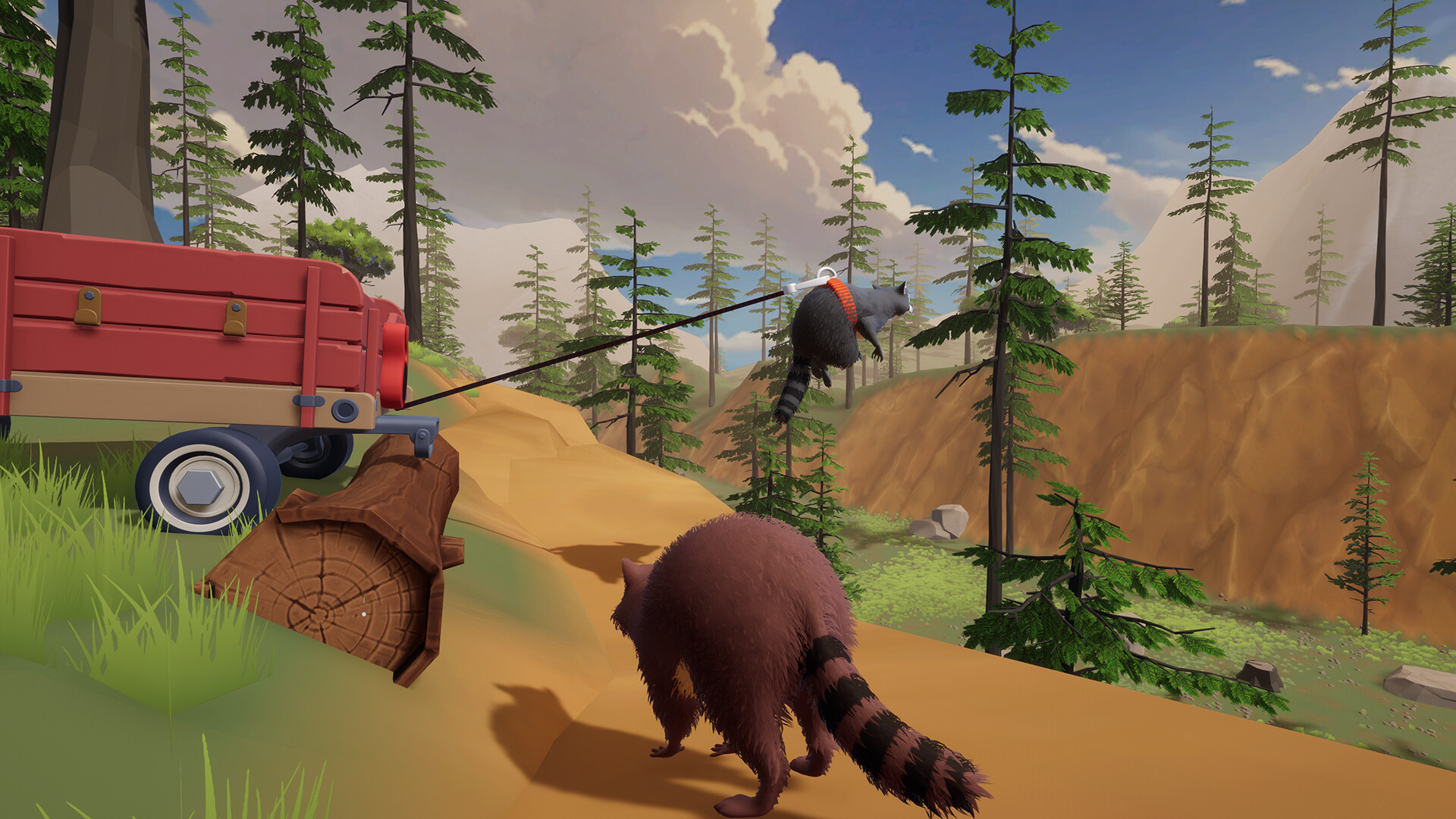
Trash Day supports online cooperation for up to six players, according to its official Steam listing. The group objective involves scavenging and transporting a wagon, so a useful team plan should explain who moves it, who watches the route and who handles interruptions. It does not need six permanent job titles or a rigid voice-chat script.
The roles below are editorial suggestions, not classes or locked abilities. Any player can change jobs when the route demands it. The aim is to avoid two common coordination failures: everyone experimenting on the same object at the same time, and everyone assuming someone else is watching the wagon. If you are new to the basic loop, first read the beginner guide.
Agree on the session before you start
Confirm that everyone intends to join the same full-game campaign. A demo and the released game should not be treated as interchangeable. The launch announcement says the demo covered one area, while the full release has six. An old guide can therefore show a valid early obstacle without covering the rest of the campaign.
Use the game and Steam’s actual session controls rather than instructions copied from another cooperative title. Check the lobby and campaign details that the game presents. Release hotfix 2026.0.1.14910 added campaign progress to the Join Game screen, which gives the group a concrete way to recognize the intended session. This guide does not claim that every guest independently owns an identical campaign save or that a disconnected host can be replaced seamlessly; those behaviors need direct verification in the current build.
Assign one caller and flexible helpers
Choose one person to describe the next movement. The caller should have a view of the route or listen to a scout who does. A helper near the wagon can assist with pushing or steering. A scout can inspect a landing, corner or hazard, then return with information that affects the wagon’s path.
For two players, combine helper and scout duties: one stays with the wagon while the other checks the immediate route, then both return for movement. For three or four, one player can collect nearby items without abandoning the transport. For five or six, rotate extra players through cargo checks, route inspection and collection. These are suggested divisions of attention, not claims that a particular team size is required for a particular level.
Use calls that describe an action
A good call includes the object, direction and stopping condition. “Move the wagon toward the open patch, then stop before the turn” is clearer than “come here.” When someone needs to repair or inspect a wheel, use a stop call first. Everyone else should confirm that they are no longer adding movement before the repair begins.
Keep a single shared name for landmarks the team can actually see. A tree or gate can be a useful reference; “the next thing over there” often is not. If the team is split, the scout should describe what matters for the vehicle: clearance, surface, turning space and a safe place to stop. A statement that the scout personally made a jump does not answer whether the wagon can use that route.
Separate collecting time from moving time
The official store describes searching trash cans and dumpsters. Our coordination recommendation is to collect within a short return distance, regroup, inspect cargo, then move. A player can choose a wider search later, once the group understands how the area connects. Constantly alternating between hauling and chasing scattered collectors makes it difficult to tell whether the wagon is ready to leave.
Do a quick count of players and tools before a demanding section. Ask who is still collecting and whether anyone is carrying an object needed for the next attempt. You do not need to catalog every scrap of trash. You do need to avoid starting a crossing while the person assigned to help is still on the other side of the area.
Make cargo handling someone’s temporary job
Off By One’s inventory design post describes a physically loaded wagon. That makes cargo inspection a real coordination task rather than an invisible inventory operation. After a messy collision or loading session, have one player look at the wagon while others hold off on adding more objects.
The cargo checker should report a visible problem, such as an awkward object obstructing the view or something repeatedly leaving the pile. Rearrange one item, then test a short movement. Avoid declaring an exact safe weight, fixed capacity or ideal stack pattern without current evidence. The useful habit is to observe what your own load does, then adjust it before the next difficult section.
Run experiments with a clear reset point
The store confirms bungee cords and planks, alongside hazards such as traffic, rockslides and a river. When the group proposes a tool-assisted solution, let one person explain what the tool is supposed to change. Choose where the wagon should start and where everyone will stand. Agree on a stop condition before applying force.
If the attempt fails, ask what moved first. Did the supporting object shift? Did the wagon approach at an angle? Did two players issue conflicting movement inputs? Change one factor and retry from a recognizable position. This is more informative than adding another teammate to the same uncontrolled pull. For a wheel or flip problem, use the wagon recovery guide rather than improvising a different solution for every attempt.
Recognize a stalled connection
A group should distinguish a difficult interaction from a session that has stopped synchronizing. In release hotfix 2026.0.1.14910, the developer describes stalled host connections that left objects no longer appearing, disappearing or responding correctly. The update replaces that condition with an explicit connection-timeout message and says rejoining brings the guest back into sync.
If one player cannot interact while others can, ask that player what their screen shows before changing the whole group’s position. If several players disagree about the same object’s location or state, pause the hauling experiment. Record the symptoms and follow the current game’s rejoin flow. This is a diagnostic sequence, not a promise that rejoining fixes every network failure.
Handle lobby warnings without guessing
The same release patch says the game now warns when Steam cannot create a lobby and lets the player continue alone. That is different from a puzzle or an underpowered squad. When the warning appears, read it and verify whether the group can actually see and join the session before investing time in a long cooperative run.
Do not respond by changing system network, VPN, firewall or router settings at random. First establish the failure boundary: can the host start, can guests see the intended session, and can a connected guest perform a simple interaction? If the game still fails, use its feedback channel with the version and exact message. That produces a more useful report than “multiplayer broken” and avoids hiding the original symptom under unrelated changes.
End with a continuation plan
Before stopping, identify which campaign and progress display the group plans to use next time. Tell everyone whether the next session is intended for progression, collection or experimentation. Keeping that goal explicit helps a returning player understand whether to bring the wagon forward or wait for a search.
Cooperation improves when the team reduces uncertainty one decision at a time. Agree on the session, use one movement caller, divide attention around the wagon and recognize when a network failure requires a different response. You can then rotate jobs freely without losing the shared plan. Return to the Trash Day hub for the source videos and the other task guides.
Step-by-step guide
- Confirm the intended session
Use the current Join Game details and agree on the campaign before beginning a long hauling attempt.
- Divide attention around the wagon
Choose a caller, nearby helper and scout as group size allows; rotate roles when a task changes.
- Check sync before changing tactics
When interactions stop responding or objects disagree between screens, pause and follow current timeout or rejoin guidance.
Quick reference
Co-op responsibilities
| Job | What to report | When to hand over |
|---|---|---|
| Caller | Direction and stopping point | A scout has a better view |
| Scout | Wagon clearance and landing | The team begins moving |
| Helper | Wheel or orientation trouble | Repair is needed |
| Collector | Nearby finds and return status | The team regroups |
Video evidence
Watch creator walkthroughs alongside this guide. Check the recording date before following requirements that may have changed.
Today is Trash Day! | Launch Trailer | Out Now on Steam
Shows the released game and physical wagon adventure; promotional footage, not a complete route or control tutorial.
One Wagon. A Raccoon Crew. Zero Good Decisions.
Shows the cooperative hauling premise before launch. Compare it with current release prompts and patch notes.
Sources
Recheck these links whenever the game version, release status, or strategy changes.
- Trash Day official Steam page Official full-game scope and wagon mechanics; checked 15 October 2026.
- Trash Day release announcement 13 October 2026: full release, six areas and cooperative focus.
- Off By One Games: Why we deleted the inventory system 16 April 2026 design explanation of physical wagon cargo.
- Official hotfix 2026.0.1.14910 14 October 2026 UTC: stalled connections, lobby warnings and Join Game progress display.